What Is a JSON Prompt? A Reusable System for AI Character and Style Consistency
A JSON prompt is how you save a character or style so you can reuse it across an image series. Learn when to use one, how the 6 blocks plus 2 control layers work, and how to render consistent characters across Nano Banana, GPT Image, Gemini, Flux, and Seedream.

The first AI image you generate is usually stunning. The 20th in the same series almost never is. That’s a system problem, not a prompt problem.
A JSON prompt is not a fancier prompt. It’s how you save a character or a style so you can reuse it across every image in a series. Write a sentence for one image. Write a JSON template when you need image 2 and image 20 to still feel like the same world.
This guide covers what a json prompt is, when to use one, and how to build your first reusable prompt for a consistent character ai workflow.
What Is a JSON Prompt?
A json prompt is a structured prompt written as a JSON object that captures the fixed DNA of an image (style, palette, characters, mood) plus the variables you swap (scene, action, text). This json prompt structure renders image 1, image 2, and image 12 from one source of truth.
The One-Sentence Definition
A json prompt is a saved blueprint for a character or style, not an instruction for one image. The blueprint stays still; the variables move. That distinction is why a reusable prompt outperforms a one-off sentence the moment you need image two.
Why It’s a System, Not a Prompt
A sentence prompt is a sticky note: one image, throw away. A json prompt template is a recipe card in a binder. Brand colors, character proportions, lighting mood: locked in fields you can read, edit, and reuse weeks later. A sentence describes intent. A json image prompt preserves identity. For more, see the JSON FAQ on our prompt library page.
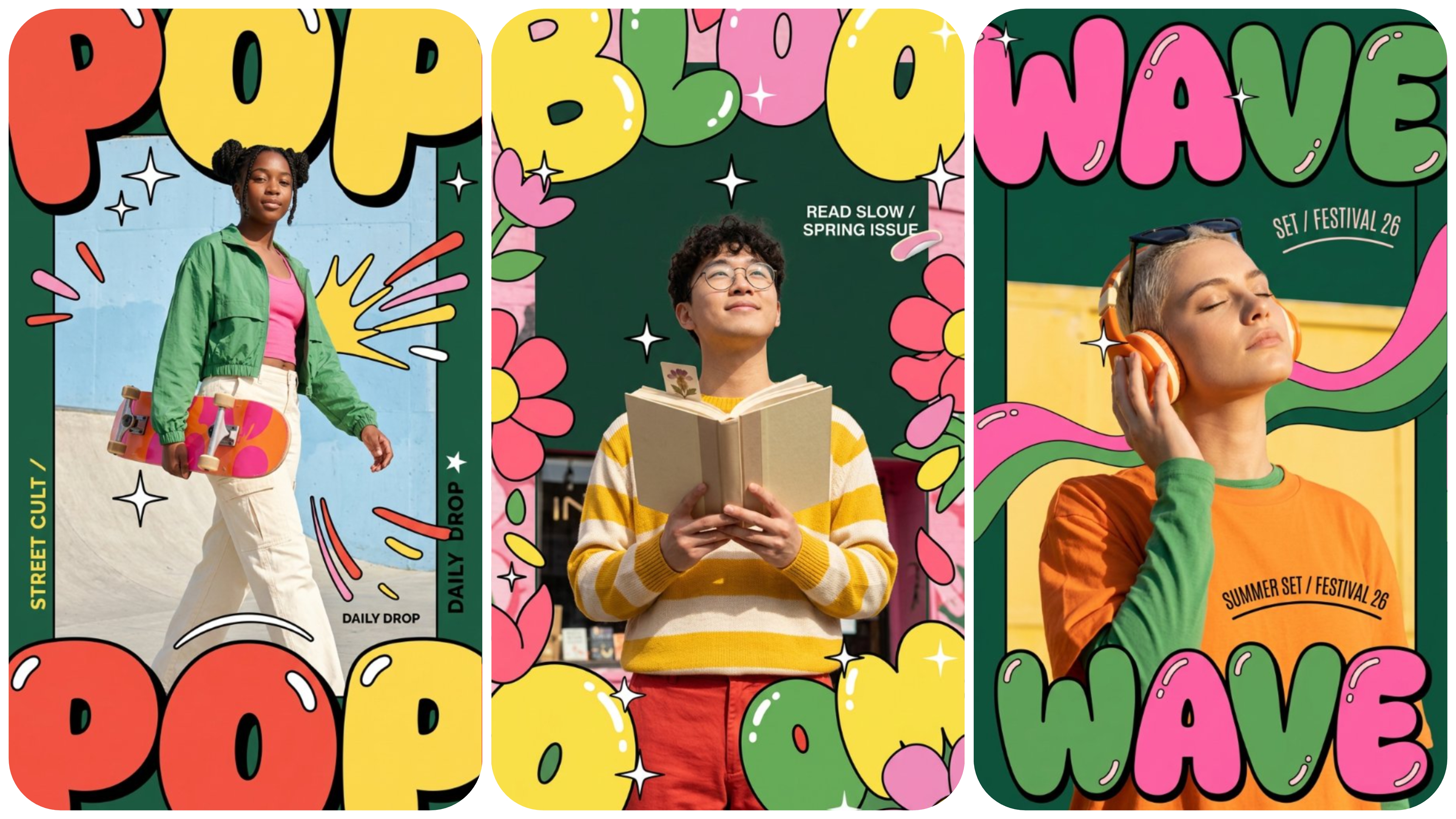
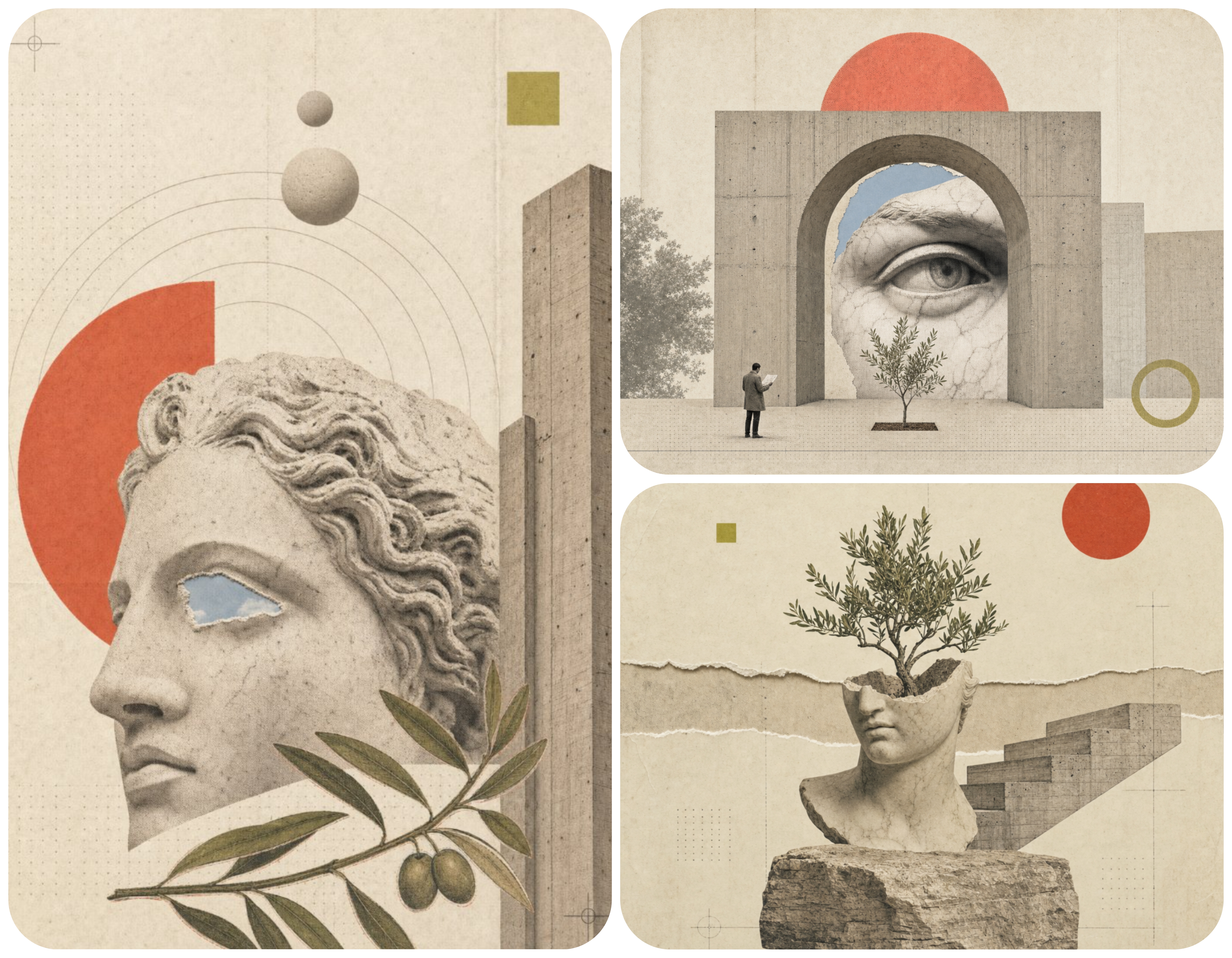
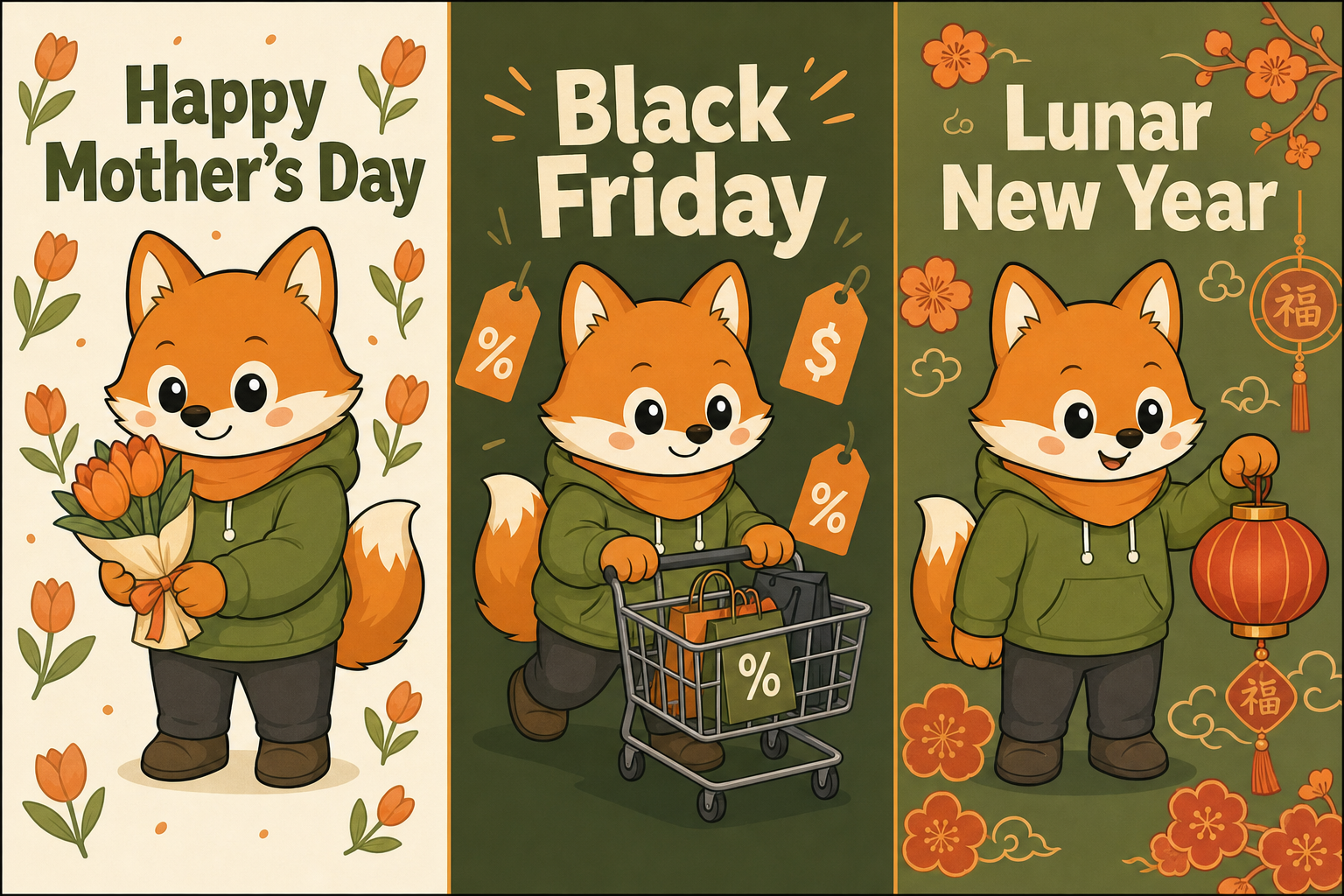
Two style systems, two completely different worlds. Each set of three panels was rendered from one json prompt template: the visual DNA stays locked while the subject swaps. That is what a reusable prompt buys you.
When to Use JSON, When to Stick With a Sentence
Most articles treat json prompt vs text prompt as a competition. It isn’t. If you only need one image, a sentence is exactly the right tool. If you need a series with shared DNA, a json prompt template earns its keep on image two.
Use a Sentence For
- One-off concepts. A hero illustration for a single article, a birthday card, a meme. You will never need image two.
- Style exploration. Mood board phase. You’re sampling looks, not committing. Sentences move fast.
- Model capability tests. Trying out a new model release. You want raw feel, not locked structure.
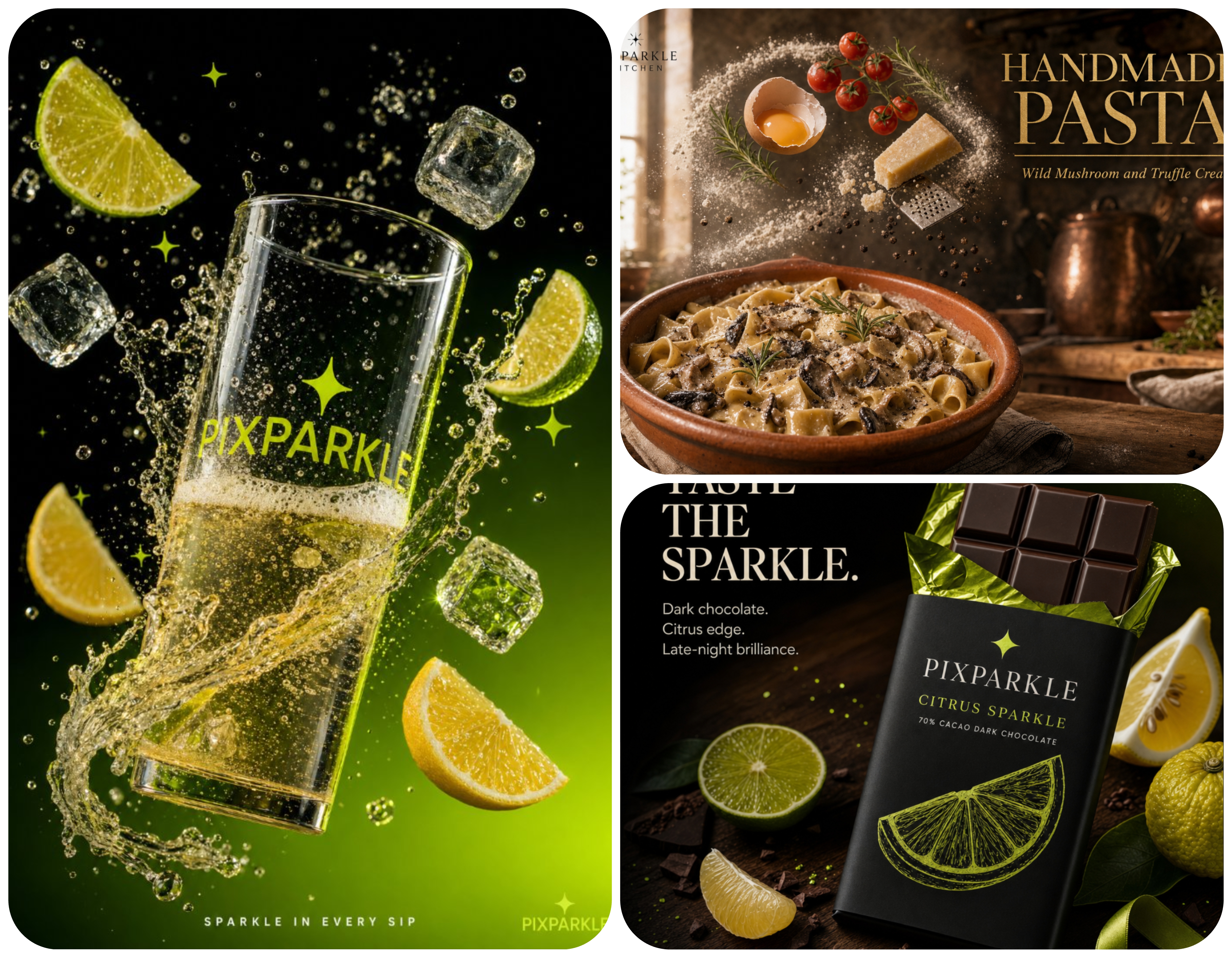
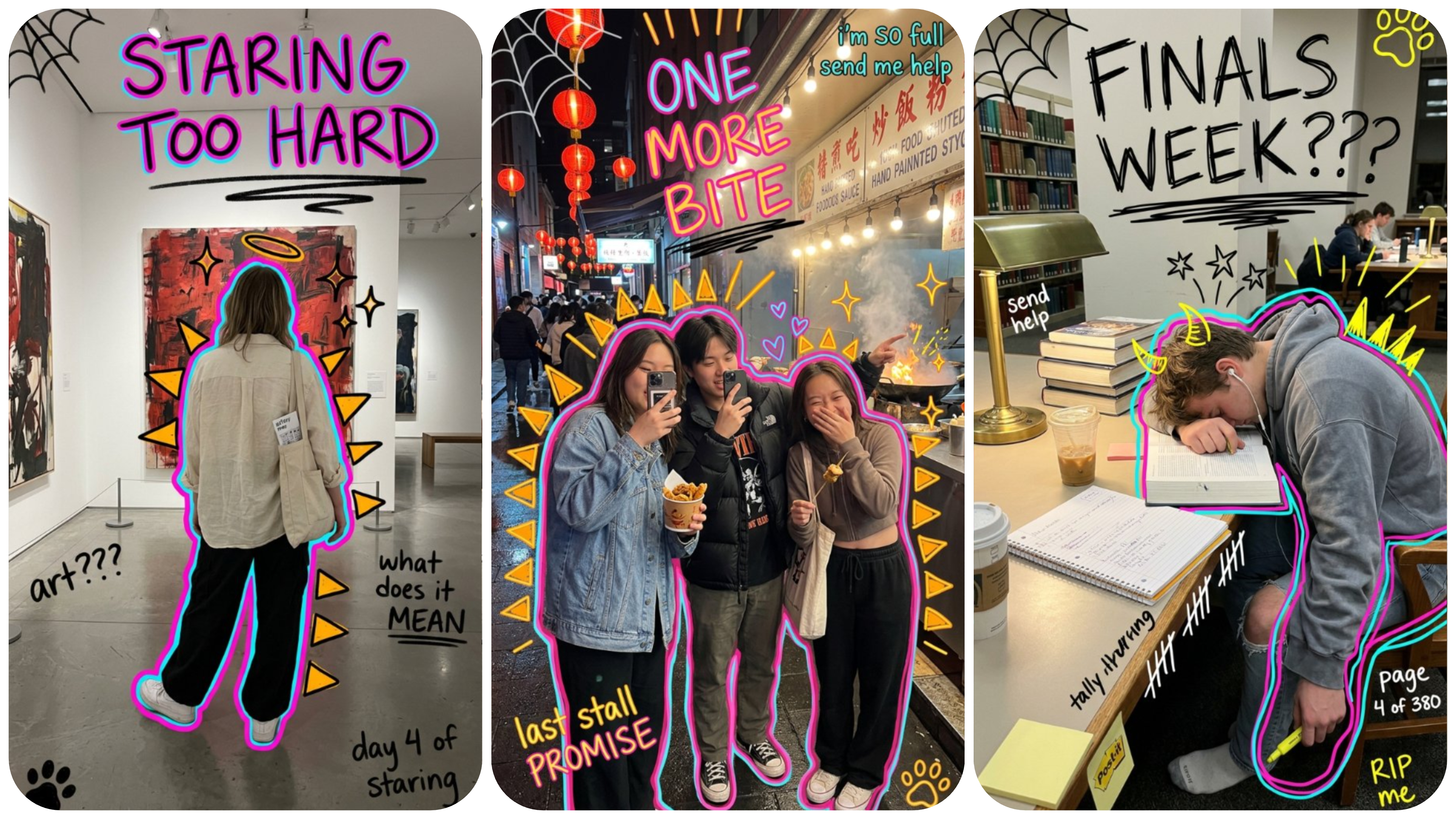
Three polished ads, three completely different worlds. Each was a standalone render where the goal was one striking image, not a series. Sentence prompts shine here because nothing needs to carry over to the next render.
Use a JSON Template For
These are the five workflows where a json image prompt template pays for itself within minutes:
- Sticker and emoji series. Six to twelve facial expressions of one character. Drift on image three kills the set.
- Storyboard frames. Animation pre-production. Frame consistency is the entire deliverable.
- Brand mascot across scenes. Office, kitchen, outdoor, party. Same mascot, different worlds.
- Poster series. Campaign assets for different events sharing one visual identity (Mother’s Day, Black Friday, Lunar New Year).
- Same character across N scenes. A children’s book protagonist, a YouTube avatar in multiple settings, a recurring NPC for a game pitch deck.
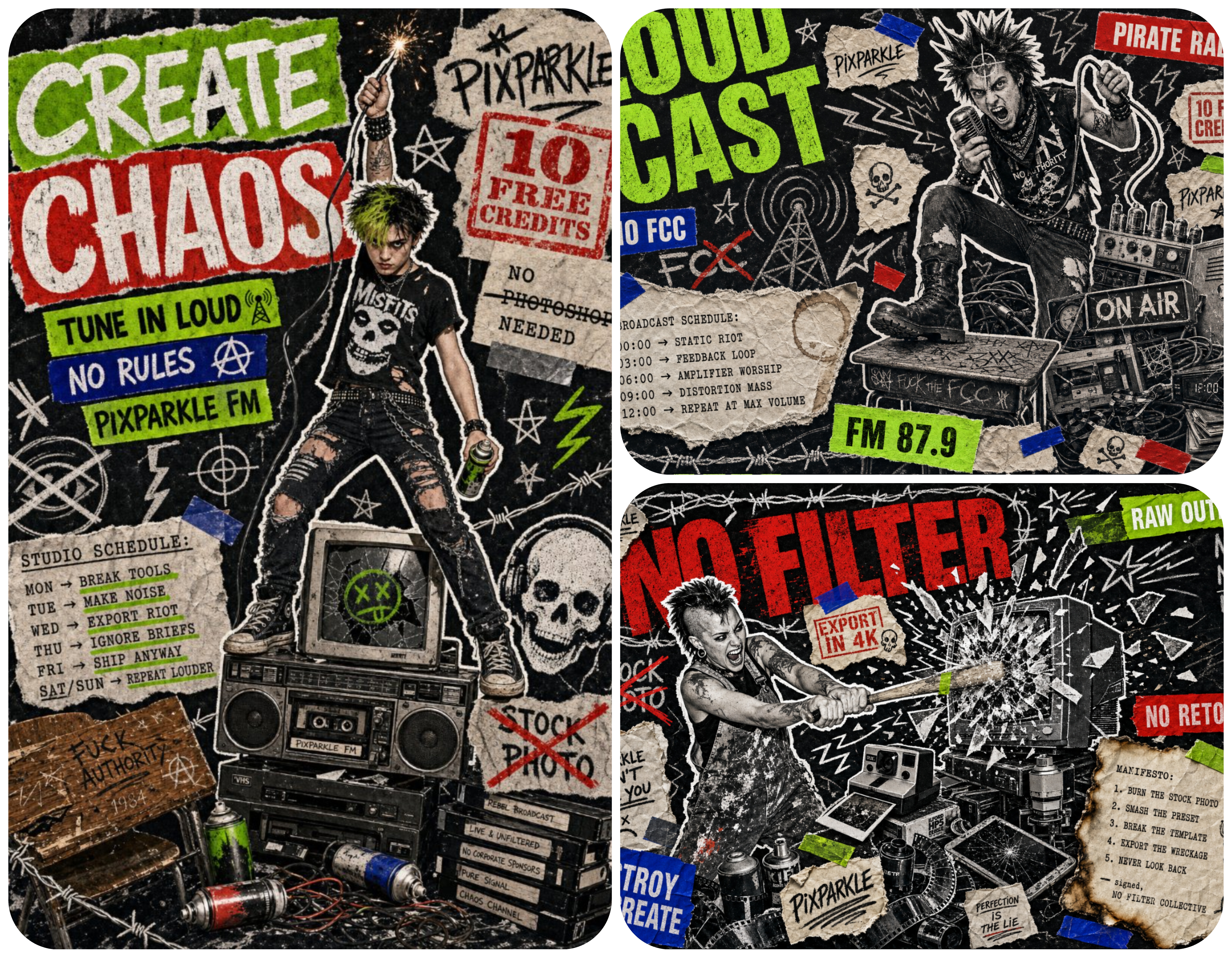
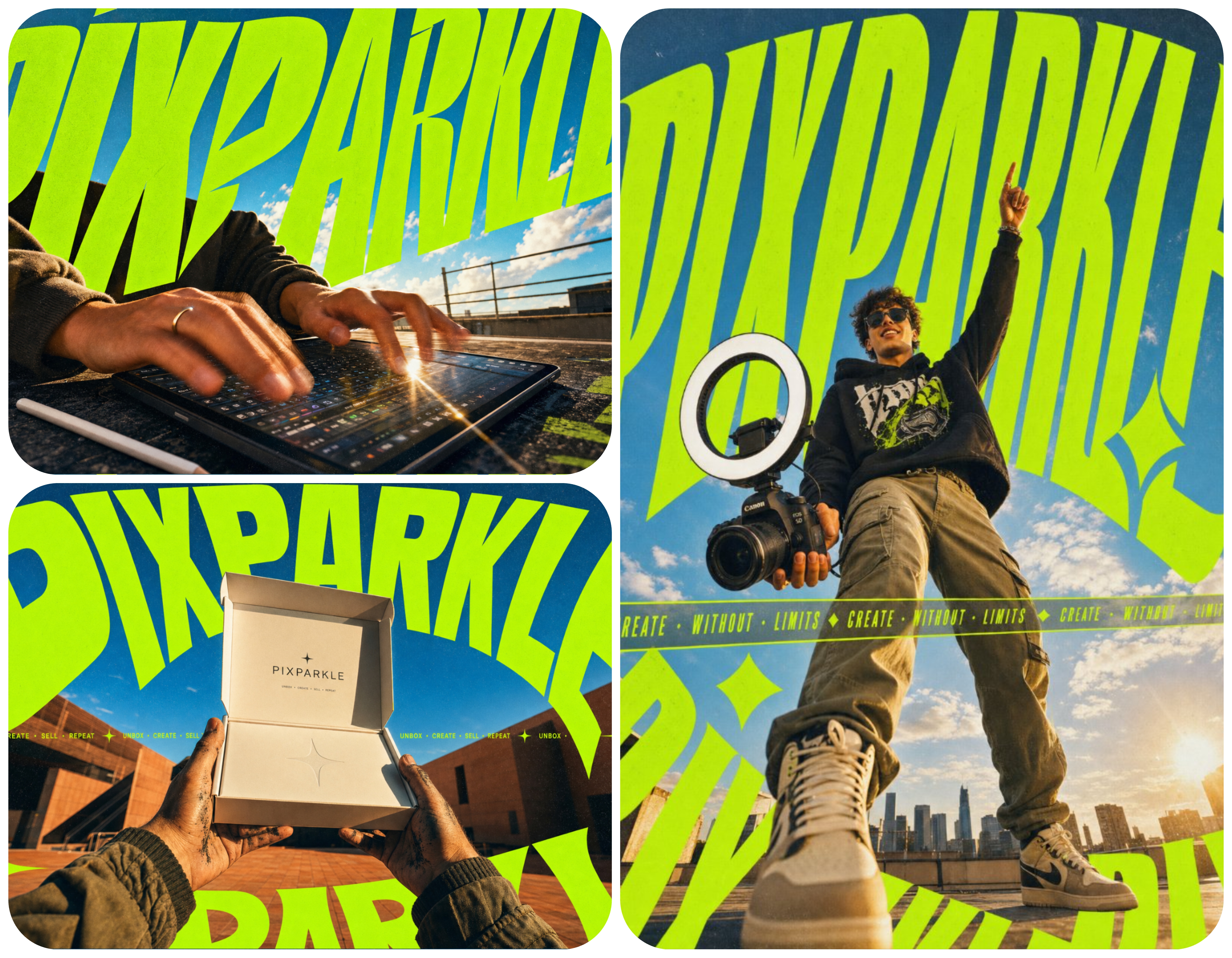
One punk-zine character system, three scenes. Same hair, same wardrobe, same typography rules, same icon vocabulary. Only the scene and headline swap. That is what a json prompt template locks for a consistent character ai workflow.
In all five cases, JSON acts as a contract: change only what should change, lock everything else. That contract is the foundation of every consistent character ai workflow.
Why This Isn’t a “JSON vs Text” Debate
Photographer Chase Jarvis ran a public test and found no quality difference between a json prompt and a natural-language sentence on a single image. That result does not contradict anything here. JSON is not designed to beat text on one render. Every well-built json prompt template ends with a final_prompt field: a natural-language string built from the structured fields above it. JSON is for humans (save, version, swap variables). Text is for the model. They cooperate.
Anatomy of a JSON Prompt Template: 6 Blocks + 2 Control Layers
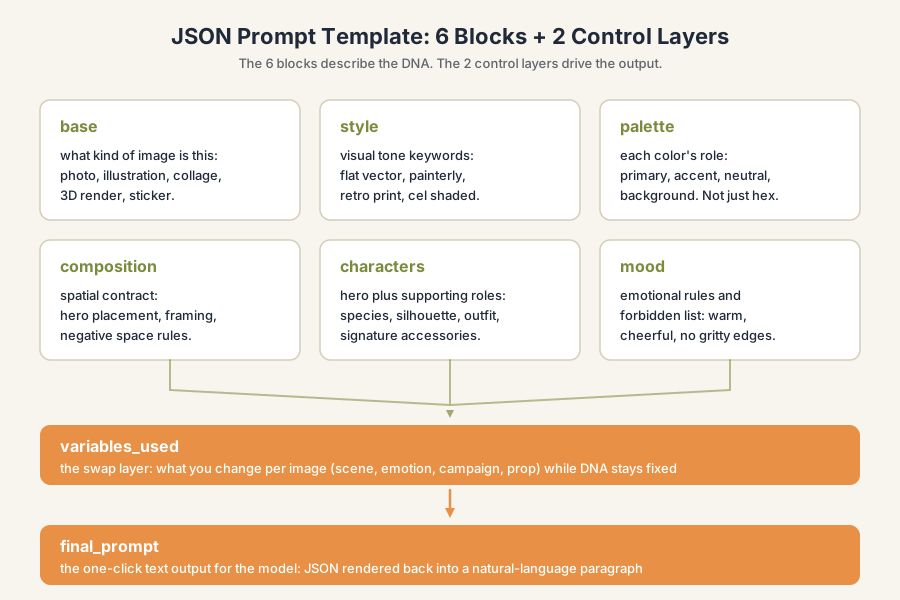
A json image prompt template breaks into 6 content blocks plus 2 control layers. The blocks describe the image. The control layers describe how the template runs.
The 6 Blocks
- base. What kind of image: photo, illustration, 3D render, collage. Aspect ratio, grain, depth of field.
- style. Visual tone keywords: editorial, retro print, vaporwave, cinematic. A short set of style anchors.
- palette. Not a swatch list. Every color has a role: hero, secondary, accent, outline, background. Roles outlive hex codes.
- composition. Spatial contracts, not coordinates. Where the subject lives, where negative space stays clean, what the eye reaches first.
- characters. Each character has a rule sheet: shape language, color tags, signature features, things that must never change.
- mood. Emotional climate of the world. Keywords plus a forbidden list (no gore, no logos, no real celebrity likenesses).
variables_used: The Swap Layer
This is what turns a json prompt into a prompt template. The variables_used field lists every value that swaps between renders: scene, action, tagline, accent color. Everything outside is locked. Everything inside is fluid. That contract is why a reusable prompt produces a consistent character ai across image 1 and image 15.
final_prompt: The One-Click Text Output
The last field is the natural-language paragraph the model reads, composed from the structured blocks above. The model never sees the JSON, only the sentence it builds. For more json prompt examples and ai image prompt examples, open the prompt library.
Here is a complete example for a brand mascot poster series. Copy, edit, render.
{
  "style_id": "brand-mascot-multi-scene-v1",
  "description": "A brand mascot rendered across multiple everyday scenes, where the character DNA stays locked and only the scene swaps.",
  "base": "flat vector illustration with clean outlines, designed for marketing use",
  "style": "modern flat illustration, soft gradients allowed, light shadow underneath the character, slightly storybook feel",
  "palette": {
    "primary": "olive green (hoodie, hero color)",
    "accent": "warm orange (scarf, signature prop)",
    "neutral": "cream backgrounds and soft beige props",
    "ink": "dark slate for outlines and facial features"
  },
  "composition": {
    "framing": "three-quarter view of the hero, mid-frame, eye level with the viewer",
    "scene_role": "the environment sits behind the hero in soft focus, never crowds the character",
    "negative_space": "at least 20 percent breathing room around the hero"
  },
  "characters": {
    "hero": {
      "species": "round-bodied fox",
      "primary_color": "olive green hoodie",
      "signature_accessory": "warm orange scarf",
      "silhouette": "chubby pear shape, short legs, fluffy tail visible behind",
      "face": "large round eyes, small triangular ears, soft cheek blush"
    }
  },
  "mood": {
    "feels_like": "warm, welcoming, a little curious",
    "forbidden": ["dark horror tones", "photoreal skin or fur", "aggressive expressions", "neon lighting"]
  },
  "variables_used": {
    "scene": "cozy home office with a laptop and a mug",
    "scene_alt_1": "small apartment kitchen, fox kneading dough on a counter",
    "scene_alt_2": "park bench at golden hour, fox reading a paperback",
    "scene_alt_3": "birthday party with confetti and a small cake"
  },
  "final_prompt": "A modern flat vector illustration of a round-bodied fox mascot in an olive green hoodie and a warm orange scarf, three-quarter view, soft cream background. Scene: cozy home office with a laptop and a mug. Warm and welcoming mood, soft shadow under the character, no harsh lighting, no photoreal fur."
}
How to Build Your First Reusable Character System
You don’t need to write JSON by hand. Think about your character as a system, then let the generator package it. Here is the four-step flow for any consistent character ai project, using a brand mascot multi-scene workflow.
Step 1: List What’s Fixed vs What Swaps
Open a blank doc. Make two columns. Left: things that must never change. Right: things that should swap per render.
For a brand mascot:
- Fixed (DNA): body color, signature shape, always-worn accessory, art style, outline thickness, brand palette roles.
- Swap (variables): scene, action, prop, headline text, season, secondary characters.
If you can write these two lists, you have the bones of a json prompt template. The hardest part of a reusable prompt is not syntax. It’s deciding what to lock.
Step 2: Let the Generator Package It Into JSON
Hand the lists to Pixparkle’s AI image prompt generator. The tool drops fixed values into the 6 blocks, swap values into variables_used, and writes final_prompt automatically. Edit, save. Structured prompt thinking becomes a runnable asset.
Step 3: Generate Image 1, Verify the DNA Holds
Set SCENE and PROP for your first scenario. Generate one image. Compare against your fixed list: body color, signature features, outline weight.
If anything in the fixed list is wrong on image one, fix the template, not the prompt. The whole point of a prompt template is that you fix the source once and every downstream render benefits.
Try Pixparkle’s chat to generate image 1 of your series now. Render, compare, adjust the locked fields, move to step four.
Step 4: Swap Variables, Generate Image 2/3…, Verify the System
Change only the variables. Keep the 6 content blocks identical. Swap SCENE to “summer beach picnic,” HEADLINE to “Summer Drop,” PROP to “lemonade pitcher.” Render again.
If image two feels like the same world as image one, your json prompt is working. If something drifted, find the field and tighten it. Most drift comes from underspecified palette roles or vague mood keywords.
Render image 2 and 3 with the same JSON in Pixparkle’s chat and watch the DNA hold. This is the workflow behind every sticker series, poster campaign, and multi-scene mascot.
Same Template, Different Models: Nano Banana, GPT Image, Gemini, Flux, Seedream
As of 2026, no two image models read prompts the same way. The 6-block structure is a stable contract; each model has quirks. For ai image prompt examples tuned per model, browse the prompt library.
Compatibility Matrix at a Glance
| Block | Nano Banana | GPT Image | Gemini | Flux | Seedream |
|---|---|---|---|---|---|
| base | ok | ok | ok | ok | ok |
| style | ok | ok | ok | partial | ok |
| palette (hex) | ok | ok | partial | partial | partial |
| composition | ok | ok | ok | partial | ok |
| characters | ok | partial | ok | partial | ok |
| mood / forbidden | ok | ok | partial | partial | ok |
| Mode A (T2I) | yes | yes | yes | yes | yes |
| Mode B (I2I) | yes (Edit) | partial | partial | yes (Kontext) | partial |
Notes: ok = field is read reliably. partial = field works but needs phrasing tweaks.
Two Ways to Run a Template
- Mode A: Text-to-Image. Feed the
final_prompt(or the full JSON); the generator produces a fresh image each time. Volume play; characters are inferred. Works on Nano Banana, GPT Image, Flux, Seedream, and Gemini. - Mode B: Image-to-Image. Upload a base reference photo. The model preserves the subject and applies the JSON’s overlay rules. Use Mode B when the character must literally be a real person or specific product. Nano Banana Edit and Flux Kontext are the strongest paths here.
Per-Model Adjustments
Nano Banana. Reads JSON fields most literally. Both the JSON object and the final_prompt work. For long json prompt nano banana templates, keep field names short and prefer flat structures. Pixparkle’s nano banana prompts library covers mascots, stickers, and poster series out of the box, and our nano banana prompts work across both Nano Banana and Nano Banana Pro.
GPT Image. Best in class for typography. If your template has a typography sub-block with font and weight, gpt image prompts honor it. Slightly weaker on multi-character composition; lean on composition.layout. For brand work, gpt image prompts give the cleanest text edges in this table.
Gemini. Strong on multilingual text, including CJK characters. A json prompt gemini template can carry Chinese, Japanese, or Korean strings in the final_prompt and survive the render. Soft on exact hex palettes; describe colors by name plus role.
Flux. Reads natural language better than nested JSON. Keep the structured blocks for your own organization but lean on final_prompt when running Flux. Excellent for painterly and editorial illustration.
Seedream. Strong for illustration and stylized worlds. Use style with painter names or movements (ukiyo-e, art nouveau, mid-century print). Seedream prompts respond well to rich mood descriptions.
What About Midjourney?
A json prompt midjourney template does not work the same way: Midjourney does not accept structured JSON input. The 6-block thinking is still valuable as a design brief. Build the JSON, then copy final_prompt straight into Midjourney. You lose the runtime swap, but you keep the upstream discipline.
Common Pitfalls When Building a Character System in JSON
As of 2026, the same six mistakes show up over and over in broken character systems. Fix them and your reusable prompt will hold across a full series.
- Treating JSON as code. A json prompt is a brief, not a config file. No types, no schema validator. Write it like a recipe card a designer would read.
- Locking the swap layer. People put scene descriptions inside
characters. The character drifts because a swap variable is buried in locked DNA. Move scene details tovariables_used. - Listing colors without roles. Five hex codes with no roles is noise. Tell the model what each color is for: outline, background, hero, secondary. Roles travel; raw hex codes don’t.
- Forgetting the forbidden list. The
moodblock should include what the image must not be. No competing logos. No photoreal skin in a flat-vector world. No real people unless licensed. - Reusing one template across incompatible models. A template tuned for Nano Banana may drift on Flux without phrasing tweaks. Pixparkle’s AI image prompt generator outputs model-specific variants when you select a target.
- Skipping
final_prompt. Without the natural-language fallback, you cannot run the template on a model that ignores structured input. Always keepfinal_promptpopulated.
FAQ: 10 Quick Answers About JSON Prompts for Image Series
What is a json prompt for AI image generation?
A json prompt is a structured prompt written as a JSON object that locks the visual DNA of an image (style, palette, characters, mood) and exposes a swap layer for variables that change between renders. It keeps image 2 and image 12 of a series visually consistent without rewriting a sentence each time.
When should I use a json prompt instead of a plain text prompt?
Use a json prompt when you need a series. One hero image for an article: use a sentence. Six stickers of one character, a multi-scene mascot, a campaign across three events: use a json prompt template. The break-even point is image two.
Do I need to know how to code to use a json prompt template?
No. JSON looks technical, but a json prompt template is a recipe card with labeled sections. Read it, edit a few values, save. Pixparkle’s prompt generator builds the JSON from a plain-English description so you never touch braces.
How do I keep a character consistent across multiple AI images?
Lock the character’s DNA in the characters block (body color, shape language, signature features) and put scene-level details in variables_used. Render image 1, verify the DNA, then swap only variables for image 2 onward. Drift usually traces back to a swap variable hiding inside a locked block.
What goes inside a json prompt template?
Every json image prompt has the same backbone: six content blocks (base, style, palette, composition, characters, mood) and two control layers (variables_used and final_prompt). The blocks describe the world. variables_used names what changes per render. final_prompt is the natural-language paragraph the model reads. See the prompt library for ai image prompt examples that follow this structure.
Can the same json prompt template work on Nano Banana, GPT Image, Gemini, Flux, and Seedream?
Mostly yes, with per-model adjustments. Nano Banana reads structured JSON most literally. GPT Image excels at typography. Gemini handles multilingual text. Flux prefers the natural-language final_prompt. Seedream shines on illustration. Keep the 6 blocks; tweak phrasing per model.
Does using JSON actually make AI images look better?
Not on a single image. JSON’s value is consistency across a series, not single-render quality. Public tests by Chase Jarvis confirm one-image quality is comparable. JSON wins on image 2, image 5, image 12: when your audience expects shared visual identity.
Can I build a brand mascot or sticker series with a json prompt?
Yes. This is exactly the workflow JSON was designed for. Lock body color, shape, and signature features in characters. Swap scene, action, prop, and headline in variables_used. Render the full series. Pixparkle has ready-made mascot and sticker templates you can fork.
How do I edit or version a json prompt template over time?
Treat the JSON like a design source file. Save it. When you update the palette or the mascot, bump the style_id (for example v1 to v2). Old renders stay reproducible because the v1 template still exists. New renders pick up the new DNA.
Where can I find ready-made json prompt examples to start from?
Open Pixparkle’s prompt library for ready-to-fork json prompt examples covering mascots, sticker series, and poster campaigns. Each template ships with 6 blocks plus a populated variables_used field, so you can swap values and render in seconds.
Stop Guessing. Start Generating.
A sentence is enough for one image. A json prompt template turns one character into a brand. Open Pixparkle’s chat and generate your first image, or continue learning on the AI image prompts page.